Introduction
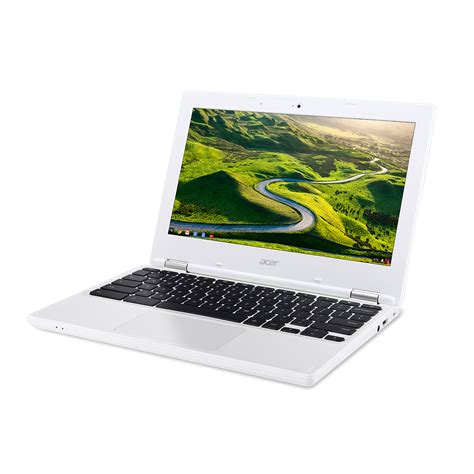
In an era marked by technological advancements, the Chromebook has emerged as a formidable contender in the realm of computing devices. This versatile and affordable laptop seamlessly blends portability, accessibility, and affordability, making it an ideal choice for students, professionals, and anyone seeking a seamless computing experience. This comprehensive article delves into the intricate device specifications of the Chromebook, highlighting its key features, benefits, and applications that cater to diverse user needs.

Device Specifications: A Technical Overview
Processor:
The Chromebook is powered by an energy-efficient Intel processor, specifically the Celeron or Pentium series. These processors prioritize low power consumption while delivering adequate performance for everyday tasks, web browsing, and multimedia streaming.
Display:
The screen size of a Chromebook typically ranges from 11 to 14 inches, offering a compact design that is easily portable. The display resolution varies from HD (1366 x 768 pixels) to Full HD (1920 x 1080 pixels), providing sharp and vibrant visuals.
RAM:
Chromebooks come with 4GB or 8GB of RAM, which is sufficient for handling multiple applications and browser tabs simultaneously. This ensures smooth multitasking and prevents noticeable lag or performance bottlenecks.
Storage:
The majority of Chromebooks utilize eMMC or SSD storage, with capacities ranging from 32GB to 256GB. While eMMC provides a cost-effective storage solution, SSD offers faster read/write speeds, enhancing overall system responsiveness.
Battery Life:
Battery life is a defining characteristic of Chromebooks, with most models offering extended battery life of up to 12 hours on a single charge. This exceptional battery life allows for all-day usage without the need for frequent charging.
Connectivity:
Chromebooks feature built-in Wi-Fi and Bluetooth connectivity, enabling wireless access to the internet and pairing with external devices such as headphones and speakers. Some models also incorporate cellular connectivity, providing internet access on the go.
Operating System:
Chromebooks operate on the Chrome OS, a lightweight and intuitive operating system developed by Google. Chrome OS is renowned for its simplicity, security, and focus on cloud computing, streamlining the user experience.
Portability and Accessibility:
The Chromebook’s compact size and lightweight design make it highly portable, ideal for students, professionals, and travelers. Additionally, its accessibility features, such as screen readers and keyboard navigation, cater to individuals with disabilities, fostering an inclusive computing experience.
Key Features:
1. Cloud-Centric Ecosystem:
Chrome OS seamlessly integrates with Google’s cloud services, such as Gmail, Drive, and Docs, enabling users to access and manage their files, emails, and documents from any device with an internet connection.
2. Automatic Updates:
Unlike traditional laptops, Chromebooks receive regular automatic software updates directly from Google. These updates ensure the latest security patches and feature enhancements are applied seamlessly, minimizing user maintenance and maximizing device security.
3. App Compatibility:
While Chromebooks natively support web-based applications, they also offer access to a vast library of Android apps through the Google Play Store. This расширяет возможности Chromebooks, allowing users to run popular productivity, entertainment, and educational apps.
4. Security and Privacy:
Chrome OS prioritizes security and privacy, incorporating a multi-layer approach that includes automatic updates, sandboxing, and data encryption. These measures protect users from malware, viruses, and data breaches.
Benefits of Using a Chromebook:
1. Affordability:
Chromebooks are renowned for their affordability, making them an accessible option for individuals, students, and organizations with limited budgets.
2. Simplicity and Ease of Use:
The Chrome OS interface is designed for ease of use, offering a clutter-free and intuitive experience. This makes Chromebooks ideal for users of all ages and experience levels.
3. Long Battery Life:
The exceptional battery life of Chromebooks empowers users to work, learn, or play for extended periods without interruptions caused by battery drain.
4. Cloud Integration:
Chrome OS’s deep integration with Google’s cloud services simplifies file management, collaboration, and access to applications, promoting productivity and seamless workflow.
5. Security and Updates:
Automatic updates and robust security features ensure Chromebooks remain protected against emerging threats and vulnerabilities, providing peace of mind for users.
Applications of Chromebooks:
Education:
Chromebooks have become ubiquitous in educational settings, empowering students with affordable and portable devices that facilitate collaboration, research, and educational software usage.
Business and Productivity:
Professionals and businesses can leverage Chromebooks for cloud-based productivity, document editing, communication, and data management, streamlining workflows and reducing hardware costs.
Entertainment and Leisure:
Chromebooks offer access to a wide range of entertainment applications, streaming services, and games, providing users with a portable platform for relaxation and leisure.
Tips and Tricks for Maximizing Chromebook Experience:
1. Utilize Keyboard Shortcuts:
Mastering keyboard shortcuts can significantly enhance productivity and navigation on Chromebooks. For instance, “Ctrl+T” opens a new tab and “Ctrl+Shift+T” reopens a recently closed tab.
2. Customize Quick Settings:
The quick settings panel on Chromebooks provides easy access to frequently used settings. Customize this panel by adding or removing icons to tailor it to your preferences.
3. Enable Guest Mode:
Guest mode allows multiple users to share a Chromebook without compromising privacy. This is particularly useful for schools or shared workspaces.
4. Use the App Launcher:
The app launcher offers a centralized location to access all installed applications and shortcuts. Press the “Launcher” key or use the search bar to quickly find and launch apps.
5. Optimize Storage Space:
Use the “Files” app to manage storage and delete unnecessary files. Consider using cloud storage services to store large files and free up local storage space.
Comparison of Chromebook Models:
| Feature | Chromebook 1 | Chromebook 2 | Chromebook 3 |
|---|---|---|---|
| Processor | Intel Celeron N4000 | Intel Pentium Gold 6405U | Intel Core i3-1115G4 |
| Display | 11.6-inch HD | 14-inch Full HD | 13.3-inch 2K |
| RAM | 4GB | 8GB | 16GB |
| Storage | 64GB eMMC | 128GB SSD | 256GB SSD |
| Battery Life | Up to 10 hours | Up to 12 hours | Up to 14 hours |
| Price | $199 | $299 | $499 |
Pros and Cons of Chromebooks:
Pros:
* Affordable
* Portable and lightweight
* Easy to use
* Long battery life
* Automatic updates
* Cloud-centric ecosystem
Cons:
* Limited storage capacity
* Some applications may not be compatible
* Requires internet connection for full functionality
* May not be suitable for demanding tasks
* Limited offline capabilities
Conclusion
The Chromebook has emerged as a transformative device specification, offering an accessible, portable, and affordable computing experience to individuals of all ages and backgrounds. Its cloud-centric ecosystem, extended battery life, and ease of use make it an ideal choice for students, professionals, and anyone seeking a streamlined and versatile computing device. By leveraging the tips and tricks outlined in this article, users can maximize the potential of their Chromebooks and harness its capabilities to enhance productivity, learning, and entertainment.