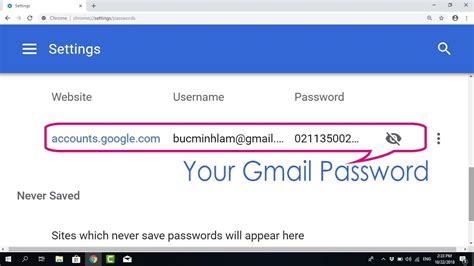
Have you ever forgotten your email password? It’s a common problem, especially if you have multiple email accounts. If you’ve forgotten your password, don’t panic. There are a few things you can do to recover it.
How to Recover Your Email Password
- Check your password manager. If you use a password manager, such as LastPass or 1Password, your email password may be stored there. Simply log in to your password manager and look for your email account.
- Contact your email provider. If you can’t find your password in your password manager, you can contact your email provider. They will be able to help you reset your password.
- Use the “Forgot password” link. Most email providers have a “Forgot password” link on their login page. Clicking on this link will start the password reset process.
How to Create a Strong Password
Once you’ve recovered your email password, it’s important to create a strong password that will be difficult to guess. Here are a few tips:
- Use a long password. The longer your password, the harder it will be to guess.
- Use a mix of upper and lowercase letters, numbers, and symbols. This will make your password more difficult to crack.
- Avoid using common words or phrases. Hackers often use dictionaries to guess passwords, so avoid using any words or phrases that are commonly found in dictionaries.
- Don’t reuse passwords. Never use the same password for multiple accounts. If one of your accounts is hacked, the hacker will have access to all of your other accounts.
How to Manage Your Passwords
Once you’ve created a strong password, it’s important to manage your passwords securely. Here are a few tips:
- Use a password manager. A password manager can help you store and manage your passwords securely.
- Don’t share your passwords with anyone. Never share your passwords with anyone, not even your friends or family.
- Change your passwords regularly. It’s a good idea to change your passwords every few months.
Conclusion
Forgetting your email password can be frustrating, but it’s not the end of the world. By following the steps outlined in this article, you can recover your password and create a strong password that will keep your account secure.
Additional Tips
- If you’re having trouble remembering your password, try writing it down and storing it in a safe place.
- You can also use a password generator to create a strong password.
- If you’re concerned about your email security, you can enable two-factor authentication. Two-factor authentication adds an extra layer of security to your account by requiring you to enter a code from your phone or email when you log in.