Introduction

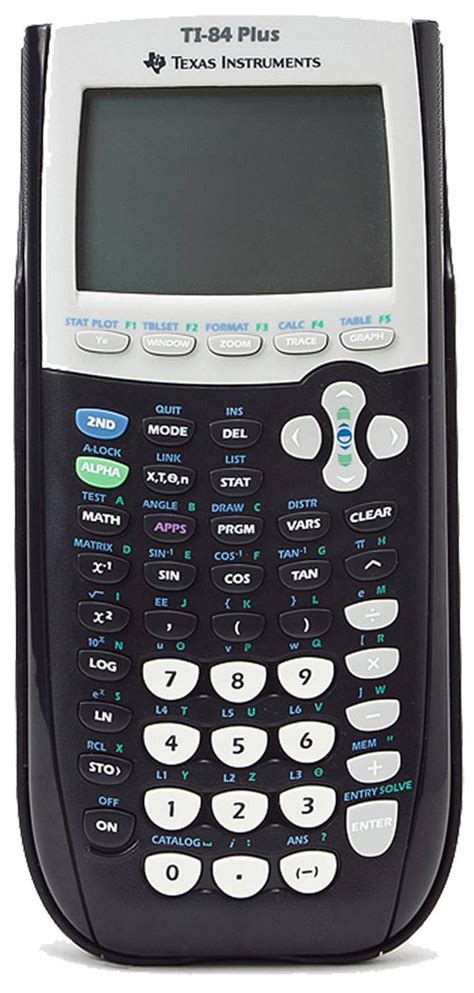
The TI-84 graphing calculator has become an indispensable tool for students and professionals in various fields, especially in mathematics and science. Beyond its fundamental arithmetic and graphing capabilities, the TI-84 boasts a vast library of programs that extend its functionality and enable users to tackle complex problems with ease. This article explores the diverse range of programs available for the TI-84, empowering you to unlock its full potential and embark on a seamless learning and exploration journey.
Essential Programs for Mathematics
1. Graphing Programs
- Plotter: Draw any type of graph, including functions, inequalities, and parametric equations.
- Simul: Plot multiple graphs simultaneously, allowing for comparison and analysis of different relationships.
- Table: Create a table of values for any function, facilitating data exploration and modeling.
2. Statistical Programs
- Stats: Perform statistical calculations, such as mean, median, standard deviation, and regression analysis.
- Linear Regression: Calculate the equation of a linear regression line and display the correlation coefficient.
- Probability: Calculate probabilities for various distributions, including normal, binomial, and Poisson distributions.
3. Calculus Programs
- Derivative: Calculate the derivative of any function.
- Integral: Calculate the integral of any function, including definite integrals.
- Series: Evaluate series expansions and calculate Taylor polynomials.
Programs for Science and Engineering
1. Physics Programs
- Velocity Analyzer: Analyze motion graphs to determine velocity, acceleration, and other physical properties.
- Circular Motion: Calculate the period, frequency, and angular speed of objects in circular motion.
- Lens: Model the behavior of lenses, including focal length and image formation.
2. Chemistry Programs
- Equilibrium: Calculate equilibrium constants and analyze chemical reactions.
- Stoichiometry: Balance chemical equations and determine the stoichiometric ratios of reactants and products.
- Titration: Perform titration calculations and determine the concentration of solutions.
3. Engineering Programs
- Circuits: Analyze electrical circuits, calculate voltage, current, and resistance.
- Structures: Design and analyze structures, including beams, trusses, and frames.
- Thermodynamics: Perform thermodynamic calculations, such as determining entropy, enthalpy, and Gibbs free energy.
Creative and Innovative Applications
The TI-84’s programming capabilities go beyond traditional mathematical and scientific applications. With a touch of creativity and ingenuity, users can develop programs for various innovative purposes, such as:
- Spreadsheet: Create and manipulate spreadsheets for data analysis and financial modeling.
- Music Generator: Compose and play music by programming sequences of notes and rhythms.
- Animation: Create animated graphics and simulations, visualizing complex ideas in an engaging way.
Strategies for Program Development
1. Effective Strategies
- Start with Basic Programs: Begin by learning the basics of TI-84 programming using simple programs as examples.
- Utilize Online Resources: Access numerous online forums and tutorials that provide guidance on program development.
- Experiment and Iterate: Experiment with different programming techniques and iterate on your programs to improve their functionality.
2. How-to Step-by-Step Approach
- Install the TI-Connect Software: Download and install the TI-Connect software to transfer programs between your computer and TI-84 calculator.
- Create a New Program: Open the TI-84 emulator in TI-Connect and create a new program file.
- Write and Edit the Program: Use the TI-84’s built-in programming language to write and edit the program.
- Transfer and Run the Program: Transfer the program to your TI-84 calculator and run it by pressing the “PRGM” button.
Frequently Asked Questions (FAQs)
1. Where can I find programs for my TI-84?
- TI’s website
- Online forums
- Educational software repositories
2. How do I install programs on my TI-84?
- Use TI-Connect software
- Transfer programs via USB cable
- Access programs from the TI-84’s “VARS” menu
3. What are some popular programming languages for the TI-84?
- TI-Basic
- C (using TI-Connect C Compiler)
- Assembly (using TI-Assemblr)
4. How can I find help with TI-84 programming?
- TI’s online support forums
- Online tutorials and documentation
- Join TI-oriented communities on social media
Conclusion
The TI-84 is a versatile tool that empowers users to explore complex mathematical and scientific concepts. By leveraging the vast library of programs available for this calculator, students and professionals can enhance their problem-solving abilities, visualize complex data, and unleash their creativity. With a bit of programming knowledge, the TI-84 becomes an even more powerful tool, enabling users to tackle a wide range of challenges. Embrace the world of TI-84 programs and embark on an exciting journey of discovery and innovation.