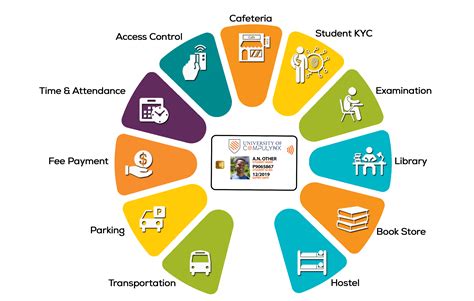
In the digital age, maintaining a strong and secure identity is paramount for students. With online classes, virtual social interactions, and sensitive personal data being shared across multiple platforms, it’s crucial to understand the importance of effective identity management. This guide will provide students with a comprehensive overview of ID, its significance, and strategies for protecting their digital identities.

Understanding Identity Management
Identity management refers to the processes and technologies used to verify and manage the identities of individuals and devices within a system or network. For students, this includes managing their digital credentials, such as usernames, passwords, and other personal information, to ensure secure access to online resources, services, and applications.
Benefits of Effective ID for Students
- Improved Privacy: Strong ID safeguards against unauthorized access to personal data, reducing the risk of identity theft and fraud.
- Enhanced Security: By verifying identities, ID prevents malicious actors from impersonating students or accessing sensitive academic records.
- Streamlined Access: Efficient ID systems enable seamless logins and access to online platforms, saving students time and frustration.
- Compliance with Regulations: Many institutions have regulations requiring students to comply with specific ID protocols to access protected information.
Strategies for Protecting Your Digital Identity
Creating Strong Passwords:
- Use unique passwords for each account.
- Create passwords with at least 12 characters, including uppercase, lowercase, numbers, and symbols.
- Avoid using personal information or common words.
Enabling Multi-Factor Authentication (MFA):
- MFA requires multiple forms of authentication, such as a password and a code sent to your mobile device, making it harder for hackers to gain access.
Using a Password Manager:
- Password managers securely store and manage your passwords, eliminating the need to remember them all.
Being Aware of Phishing Scams:
- Phishing emails or websites attempt to trick you into revealing your personal information. Never click on suspicious links or enter your credentials on unknown websites.
Updating Software Regularly:
- Software updates often include security patches that protect against vulnerabilities. Keep your operating system, applications, and web browser up to date.
Common Mistakes to Avoid
Reusing Passwords:
- Using the same password across multiple accounts creates a significant security risk.
Sharing Personal Information:
- Avoid sharing sensitive personal data, such as your social security number or credit card information, online unless absolutely necessary.
Clicking on Unknown Links:
- Be cautious when clicking on links in emails or on social media. Only click on links from trusted sources.
New Applications for ID
- Academic Fraud Prevention: ID technologies can identify students who engage in academic misconduct, such as plagiarism or cheating.
- Personalized Learning: ID systems can track student progress and provide personalized learning experiences based on their individual needs.
- Campus Safety: ID badges can be used to control access to campus buildings and monitor the location of students in emergency situations.
- Alumni Networking: Digital IDs can connect students with alumni and facilitate networking opportunities.
Tables
Table 1: Types of ID Credentials
| Credential Type | Example |
|---|---|
| Username | studentID |
| Password | * |
| PIN | 1234 |
| Biometric (fingerprint) |
Table 2: Password Strength Recommendations
| Password Strength | Length | Complexity |
|---|---|---|
| Weak | Less than 8 characters | Common words |
| Medium | 8-12 characters | Uppercase, lowercase, numbers |
| Strong | More than 12 characters | Uppercase, lowercase, numbers, symbols |
| Very Strong | 16 or more characters | Special characters, phrases |
Table 3: Common Phishing Scams
| Type | Method |
|---|---|
| Email Phishing | Fraudulent emails requesting personal information |
| Website Phishing | Fake websites that resemble legitimate ones |
| SMS Phishing (Smishing) | Text messages that contain malicious links or requests for information |
Table 4: Impact of Identity Theft on Students
| Consequence | Impact |
|---|---|
| Financial Loss | Theft of funds, identity theft |
| Academic Dishonesty | Use of student’s identity for plagiarism or cheating |
| Emotional Distress | Stress, anxiety, and damage to reputation |